Bring PS5 GTA 6 capture to 120 FPS with Veyra
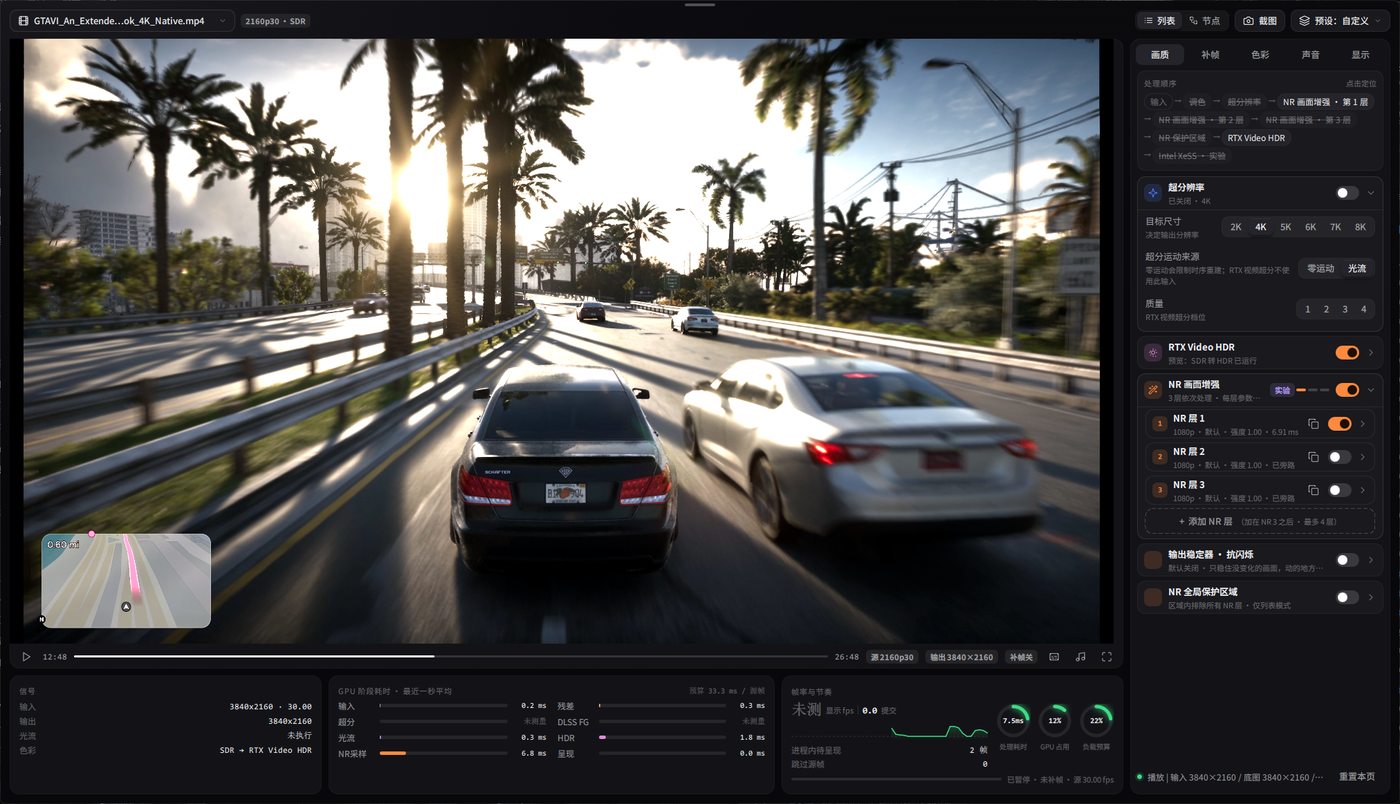
Veyra is a Windows player that runs AI super resolution and frame generation in real time on whatever you feed it: local videos, images, and capture card sources from your PS5 or Xbox. Open a capture feed and Veyra upscales it and interpolates it up to 120 FPS on your monitor. It is portable, so there is nothing to install and nothing to uninstall. Questions are answered in the FAQ below, and the usage steps take about a minute.
Download
Usage
- Grab
Veyra.NRV.v2.1.9.zipfrom the downloads page, extract it anywhere and start the exe. Windows may ask for administrator rights for capture devices and the streaming component. Accept the prompt. - Open a video file, an image, or your capture card from the source menu.
- Pick a super resolution mode and a frame generation multiplier: 2X for 60 FPS output, 2X or 4X when you stream at 60.
- Streaming? Use a virtual camera build and add Veyra Virtual Camera as a video capture device in OBS. If SmartScreen complains, choose More info → Run anyway. Open source tools are usually unsigned.
Frame generation is multiplicative: 30 FPS in at 4X gives 120 FPS out. The changelog tracks what each release adds, and the GTA 6 at 120 FPS guide walks a PS5 capture setup end to end.
What it supports
Version 2.1.9 plays videos and images with real-time enhancement, captures capture-card sources with low latency, and exposes the enhanced picture as a virtual camera for OBS and other streaming software. There are separate NVIDIA and AMD builds, and a dusk theme with a startup animation introduced in this release.
Screenshots
What you need
| What | Details |
|---|---|
| Windows | 10 or 11, 64-bit |
| GPU | NVIDIA RTX or AMD Radeon RX, matching the build you download |
| Rights | Administrator account for capture and streaming components |
| Capture | Optional: any UVC capture card for PS5 / Xbox / another PC |
| Antivirus | Some AV products flag AI runtime bundles; an exclusion may be needed |
FAQ
- What does Veyra do?
- It applies AI super resolution and frame generation in real time to videos, images and capture card sources, so a console capture looks sharper and moves at up to 120 FPS.
- How much does Veyra cost?
- Nothing. Veyra is free, and its source code is published on GitHub. The latest build is version 2.1.9.
- Should I take the NVIDIA or the AMD build?
- Match the build to your graphics card: the NVIDIA build uses RTX super resolution and DLSS frame generation, the AMD build uses FSR-based pipelines. The player and interface are identical.
- Can I stream the enhanced picture with OBS?
- Yes. A virtual camera build exposes Veyra's output as a camera device. Enable it under Settings → Playback → Virtual Camera, then add Veyra Virtual Camera in OBS as a video capture device.
- Does Veyra work on Windows 11?
- Yes. Both Windows 10 and Windows 11 64-bit are supported. Administrator rights are needed for the streaming compatibility component and some capture devices.
- Where can I get Veyra safely?
- From this site or from the official GitHub releases page. Watch out for fake Veyra builds on forums and file sharing sites.
- OBS looks choppy at 3X or above 60 FPS.
- Use 2X or 4X when streaming at 60 FPS: 3X (90 FPS) is not a whole multiple of 60 and will alternate fast and slow frames. Version 2.1.9 also fixes the pacing of virtual camera frames in OBS.
Changelog
2.1.9 (November 15, 2026)
- New dusk theme, neon gamepad logo, layered startup animation and startup music (all optional)
- Effect culling regions stay visible as red frames and can be dragged directly on the picture
- Virtual camera builds: OBS captures the enhanced picture as a camera device
- Fixed virtual camera frame pacing in OBS at 3X, 4X and above 60 FPS
2.1.6 (November 14, 2026)
- Instant replay and microphone support
- Frame de-duplication and delivery improvements
2.1.4 (November 9, 2026)
- Capture audio routing, dual super resolution, NR inference reuse
2.1.0 (October 19, 2026)
- AMD noise reduction, anti-aliasing and face enhancement
Disclaimer
Veyra is hosted here for educational and archival reasons. Enhancing video you own for personal viewing is your responsibility; respect the terms of the content and platforms you capture. The maintainers publish the source code on GitHub. Not affiliated with Rockstar Games, Sony or Microsoft.